What Figma Config 2026 Means for Your Design Workflow
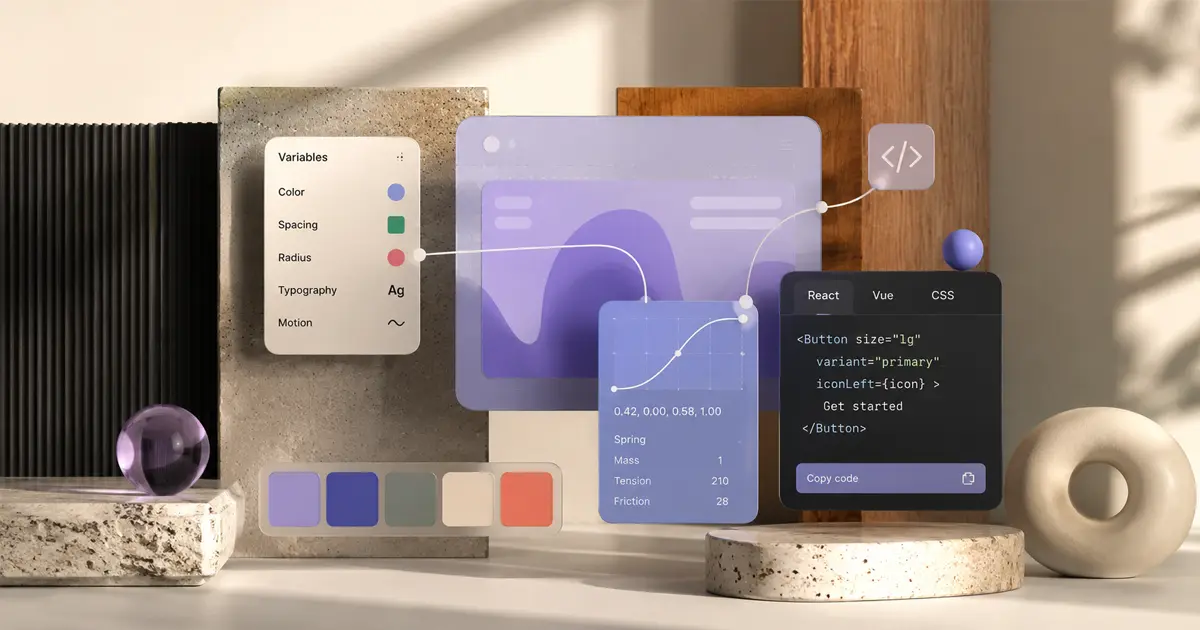
Config 2026 is happening today in San Francisco, and Figma has arrived with a full suitcase. Not the usual "we're improving collaboration" fare, either. This year's announcements touch prototyping physics, deep developer integration, a GitHub partnership, and a Variables system that finally starts to resemble what token nerds have been asking for since approximately forever. If you design anything that ends up in production, at least a few of these changes will land somewhere in your process. Let's get into it.
Variables 2.0: Tokens Get a Brain
Figma's Variables feature launched to a lukewarm "finally, sort of" reception. Variables 2.0 is the follow-through. The headline capability is conditional logic: variables can now change their value based on the state of another variable. So your mobile spacing token can automatically resolve to a tighter value when a viewport variable flips to small, and your color tokens can swap to their dark mode values without you manually maintaining a parallel set of frames.
That alone is worth paying attention to. But the structural change underneath it matters just as much. Variable Scoping now operates at three levels: local (file-only), team, and global. If you've been stitching together token architecture across a multi-brand system with workarounds and prayer, this is the thing that makes the foundation actually buildable.
There's also a new Variables API aimed squarely at external token management systems. Tools like Token Studio and Style Dictionary will be able to push and pull from Figma directly, which means your design system's source of truth can live where your team needs it to live, not necessarily inside Figma itself.
Conditional logic, scoped variables, and an open API: this is Variables graduating from "nice to have" to infrastructure. If you're managing a design system at any meaningful scale, now is a reasonable time to revisit how you've set yours up. And if you're generating design briefs before you touch the canvas, pixelbrief.ai can help you structure token context and design intent in AI-powered briefs before you open Figma.
Physics Prototyping: Yes, Gravity Is Now a Design Tool
This one is legitimately unexpected. Figma has added a full 2D physics engine to prototyping, powered by Matter.js. You can now assign mass, friction, gravity, bounce, and velocity to frames and components. There's a new Physics Panel in the right sidebar to manage it all.
Before anyone declares this a gimmick: think about the actual use cases. App onboarding with elements that feel weighted. Mobile game UI with responsive bounce behaviors. Interactive presentations that don't look like they were built in 2014. The prototypes share via a normal Figma link, so no one downstream needs to install anything or know what Matter.js is.
It's currently in beta for paid plans, with full availability expected in July 2026. That gives you a few weeks to get comfortable with it before clients start asking why their competitor's app has "that cool bouncy thing."
Physics prototyping is the kind of feature that looks like a toy until someone on your team uses it well and it shows up in a pitch deck.
Dev Mode Framework Export: One Click to Actual Code
Dev Mode has been iterating quietly, and Config 2026 is where it declares itself seriously. The new Figma Code Engine adds one-click export to React, Vue, Svelte, Angular, SwiftUI, and Flutter. Not just CSS snippets. Framework-ready code, exported directly from components.
The caveats are real and worth knowing:
- This requires a Dev Mode seat, priced at $25 per month per developer.
- It's in open beta today, so the output quality will vary by framework and component complexity.
- Your component naming, structure, and organization in Figma will affect the exported code significantly. Sloppy layers produce sloppy output.
That last point is the practical truth that will separate teams who get value out of this from teams who conclude it doesn't work. Framework export is not magic. It's a translation layer, and translations are only as good as the source material. If your Figma files are organized with developers in mind, this feature could genuinely compress handoff time. If they're not, it's a good reason to start.
Open beta is live now, so there's no reason not to test it against a real component and see where the seams are.
Figma Plus GitHub Copilot: The Handoff Gets Shorter
The partnership with GitHub Copilot is the announcement with the longest tail. Two things are now possible that weren't before:
- Dev Mode can push code directly to a branch. Designers or developers can initiate a code export from inside Figma and have it land in a GitHub branch without leaving the tool or copying anything manually.
- Copilot suggests Figma library components when writing frontend code in VS Code. If you're building a button in code, Copilot can surface the corresponding Figma component from your connected library, keeping design and implementation in sync from the developer's side of the workflow.
This is the clearest example yet of design tooling and engineering tooling genuinely meeting in the middle rather than just talking about it. For agencies running product design alongside frontend builds, or for in-house teams trying to reduce the "it doesn't match the design" problem, this is worth a careful look at how your current workflow would change.
The component suggestion feature in VS Code is particularly pointed: it turns your Figma library into something a developer can encounter without opening Figma at all.
Also Worth Noting
Config 2026 didn't stop at the four headliners. A few other things landed that deserve a mention:
- Grid Layout component: CSS Grid-like controls, now on the canvas. If you've been faking grid complexity with frames and constraints, this is the thing that replaces the workaround.
- Figma Slides 2.0: The presentation tool gets real-time audience reaction tracking. Useful for client presentations, workshops, or any context where knowing whether your audience is confused or bored in real time would change what you do next.
- Community Plugin Registry: Plugins can now have verified publisher status, which is a small thing that matters quite a bit. The plugin ecosystem is large and the quality range is enormous. Verified status won't fix everything, but it gives teams a faster signal on what's worth installing.
What to Do With All of This
Config years tend to have a few genuinely useful announcements and a few that look better in a keynote than they do six months later. This year, Variables 2.0 and the GitHub Copilot integration feel like the ones with real staying power for most design teams. Physics Prototyping is a differentiator for the right kind of work. Dev Mode framework export is worth piloting now if your team has the organizational discipline to benefit from it.
None of this replaces the thinking that happens before you open the tool. If you want to move faster from brief to Figma, pixelbrief.ai is worth a look for building AI-powered design briefs that give your work a structured starting point. From there, the new Variables 2.0 system and Code Engine give you more ways to carry that structure all the way through to production.
Config 2026 materials, including feature documentation and beta access details, are available at the Figma Config 2026 coverage on Shipped News.