Figma’s Code Layers + Motion: Design Systems Just Got Louder
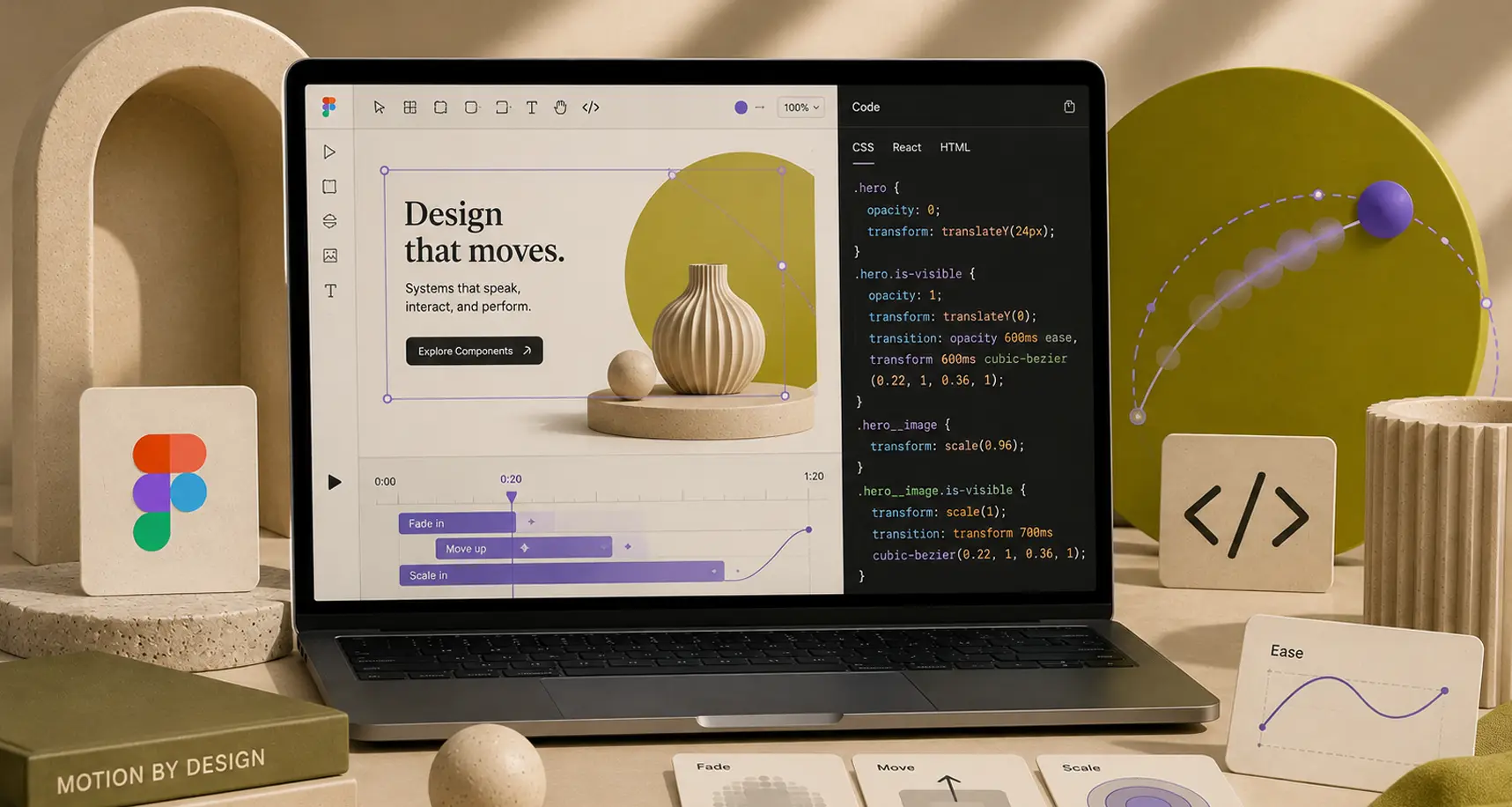
Design files are trying to become the product
For years, we’ve treated the design file like a nice, annotated photo of the product: accurate enough to discuss, not quite alive enough to trust. Config 2026 nudges that line in the other direction. Figma’s recap frames it bluntly: “Code is material, just like images, vectors and design layers.” (Figma Config 2026 recap)
That’s not a motivational poster. It’s a change in what belongs inside the file. If code, motion, and effects live on the canvas, then your design system is no longer just tokens and components. It’s behaviors, timing curves, and implementation-adjacent artifacts that people can inspect, remix, and, yes, break.
1) Code layers: prototypes that can argue back
Figma’s new code layers aim to put interactive code in the same collaborative space as your UI frames. The official recap describes turning any design layer into an interactive code layer “with just a single click (or a prompt),” duplicating it to explore directions side by side, and then extracting frames back into editable design layers. (Figma Config 2026 recap)
TechCrunch adds helpful framing: Figma’s CPO described code layers as a way for designers, PMs, and engineers to iterate quickly, not a promise that the file will spit out pristine production code. (TechCrunch) That’s the right expectation: you’re buying faster debate, not a build pipeline.
How agencies can use code layers without chaos
- Use it for interaction truth, not layout truth. Let code layers settle the “does this feel right?” questions: focus states, motion, empty states, and edge cases.
- Timebox it. Treat code-layer exploration like a sketch session, not a second implementation track.
- Write down the contract. If a code layer is exploratory, label it. If it’s vetted, label it harder. You want future-you to know which is which.
2) Figma Motion: timelines in the same file as your components
Motion has usually lived in a different tool, a different file, and a different person’s brain. Config 2026 puts a timeline directly in Figma, including keyframes and presets, and positions motion as a foundational part of design systems. (Figma Config 2026 recap)
The most important detail is not “you can animate now.” It’s the system implication: Figma says you can animate a component once and have that motion travel across screens and collaborators’ files. (Figma Config 2026 recap) That’s a new category of design debt, and also a new way to avoid it.
Dev Mode makes motion review less mystical
Figma also calls out that Dev Mode can expose the timeline for inspection and that “every timing value, every easing curve, every keyframe is readable without interpretation,” with options to copy animation code in CSS, JSON, or React-friendly formats. (Figma Config 2026 recap) In practice, that means fewer “it’s sort of like this” conversations and more “it’s exactly 220ms with this easing.”
3) Shader fills and effects: the design system’s new troublemakers
Figma is also shipping shader fills and effects as first-class materials, with parameters surfaced as on-canvas controls and the ability to stack effects. (Figma Config 2026 recap) It’s the kind of feature that can make a brand feel distinct, or make your component library feel like an arcade cabinet. Sometimes both.
A practical rule: effects need governance too
- Name it like a token. If a shader effect is reusable, treat it like a system primitive with a name, purpose, and constraints.
- Limit the surface area. If every designer can dial 14 parameters, you will get 14 personalities. Sometimes you want that. Usually you don’t.
- Ship a few blessed presets. Give teams an obvious default so experimentation stays optional.
4) The agent layer: prompts are cheap, workflow is expensive
Config 2026 also expands the “agent” idea beyond one-off generation. The recap talks about skills (packaged workflows), connectors to common tools, and bringing briefs and research into the agent’s context. (Figma Config 2026 recap) TechCrunch similarly notes prompt-based skills and connecting tools like Notion and GitHub. (TechCrunch)
The agency takeaway is boring on purpose: the value isn’t “AI,” it’s repeatability. If your team can turn the stuff you say in critiques into reusable skills, you get more consistency and less Slack archaeology.
Prompting gets you started. The real win is when your process becomes runnable.
5) Where pixelbrief.ai fits in a more automated workflow
If your workflow is shifting toward reusable, structured inputs, your briefs need to keep up. That’s where pixelbrief.ai can slot in: generating clear, art-directable prompts and references for exploration, then bringing the best options into Figma for refinement. Used sparingly, it’s a good way to reduce the “we all pictured different things” problem before it turns into three rounds of revisions.
Conclusion: treat these as new materials, not new toys
Code layers, motion timelines, and shader effects are powerful because they move decisions earlier, closer to the place where teams already collaborate. They’re also dangerous for the same reason: everyone can touch them.
If you want the upside without the file entropy, start small. Pick one pilot project. Define what “done” means for code layers and motion. Add governance for effects the same way you already govern typography and color. Then, once it’s working, turn the workflow into something your whole team can repeat.
CTA: If you want help shaping a motion-ready design system or setting up an AI-assisted briefing process that still feels like your studio, Inspire Studio can help. Bring the mess, we’ll bring the structure.