Figma Code Layers: The Design-to-Prototype Shortcut
Somewhere, right now, a designer is politely asking an engineer for “just a quick build” of a prototype. Somewhere else, an engineer is politely explaining that nothing is quick, especially not the thing you just called quick.
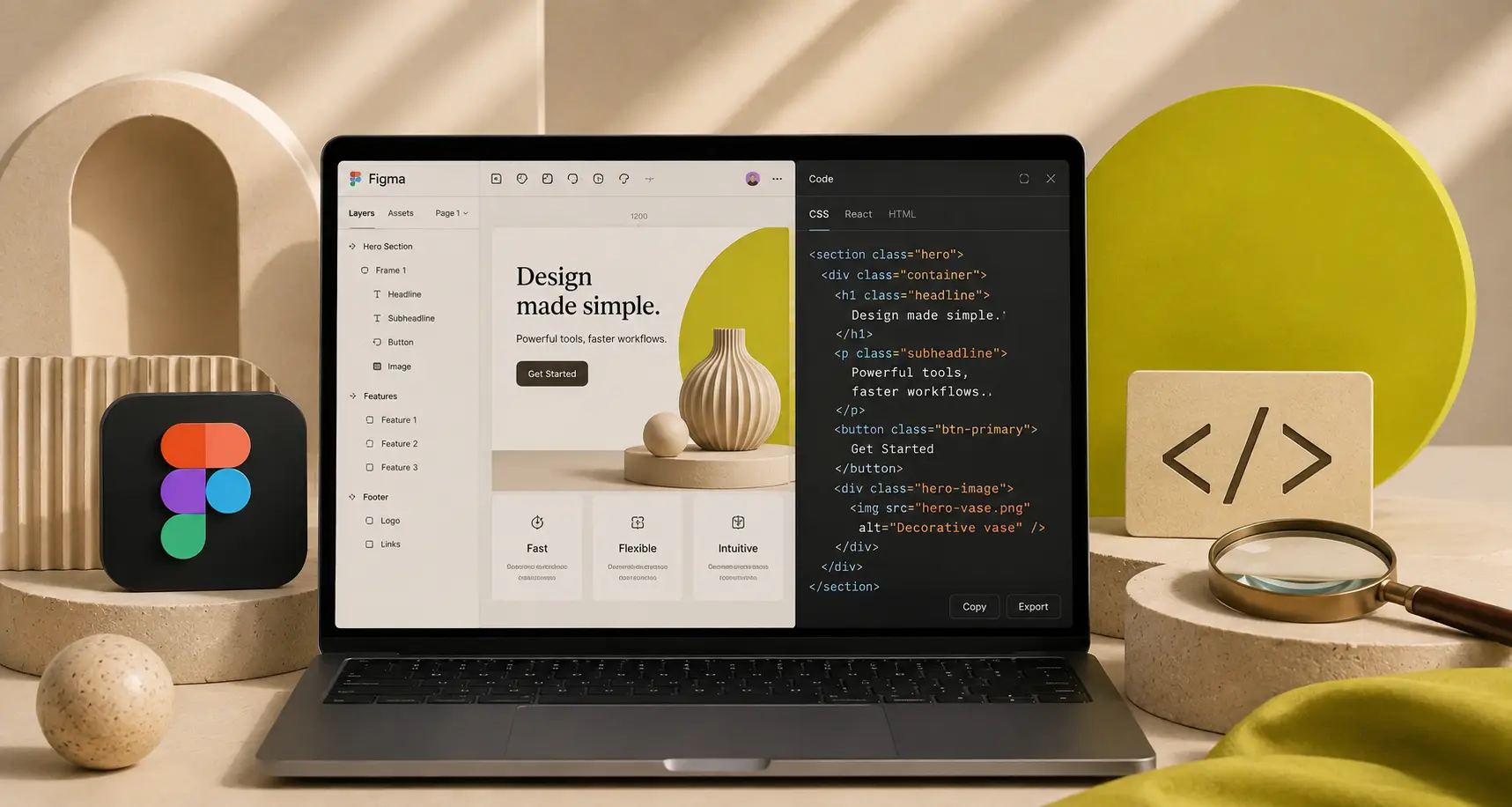
Figma’s new code layers are basically an attempt to end that conversation before it starts. Instead of treating code as a distant downstream artifact, code becomes a first-class layer on the canvas, right next to your frames, components, and that one sticky note that just says “make it pop.”
Announced around Config 2026, code layers are in closed beta, but the direction is already clear: faster iteration, less translation work, and fewer late-night Slack threads where everyone agrees the prototype “doesn’t feel like the design.”
What a “code layer” actually is (and isn’t)
In Figma’s Config 2026 recap, code layers are described as a new layer type where you can turn a design layer into an interactive code layer with a click, or even a prompt. The point isn’t to make designers write production code. The point is to get working behavior onto the canvas, collaboratively, without spinning up a separate prototype project every time.
TechCrunch’s coverage framed it similarly: code layers live directly on the collaborative canvas and help teams clone repositories and extract flows from code to design layers for testing. That means you’re not choosing between “looks right” and “works right” quite as often.
So no, it’s not “Figma becomes an IDE.” It’s more like “your prototype stops being a fragile imitation.”
Why this matters: prototypes finally stop lying
Traditional design prototypes are great at showing a path, and not great at showing the potholes. They tend to hide what real UI does when:
- text wraps in an unfortunate way
- loading states show up uninvited
- edge cases turn your tidy layout into modern art
Because code layers can be interactive and can start from an actual codebase, you can validate behavior earlier. The big shift is psychological: instead of treating the prototype as a theatrical performance, you treat it as a rehearsal with props that weigh something.
How code layers change the day-to-day workflow
1) Bring real UI onto the canvas
According to Figma’s “What’s new from Config 2026” page, code layers can start from an uploaded local codebase or by cloning a GitHub repository. Once a coded component or page is on the canvas, you can explore flows, compare directions, and get feedback with your team without leaving the file.
2) Design-to-code loops get shorter (and less dramatic)
In the Config recap, Figma describes converting code layers into design layers for editing, and converting design layers into code layers for building. That back-and-forth matters because most teams don’t have a single moment of “handoff.” They have dozens of little negotiations between intent and implementation.
Shorter loops mean you can catch the expensive problems earlier: interactions that feel clunky, layouts that break, or components that don’t actually support the content strategy everyone promised they’d have.
3) The multiplayer prototype becomes real
Figma’s pitch is that you can duplicate a code layer to explore multiple directions side by side, like you’d duplicate frames. This is the part that will sneak up on teams. When you can branch working behavior as easily as you branch a layout, critique gets sharper, and decisions get less theoretical.
Code layers pair well with motion and the agent, if you let them
Config 2026 wasn’t only about code layers. Figma also pushed motion onto the canvas with a timeline, plus shader effects and a more capable agent. The interesting bit is how these features stack:
- Motion gives you animation that’s inspectable in Dev Mode and can be shared as code formats like CSS, JSON, or React.
- Code layers put interactive UI behavior directly beside the design system elements it depends on.
- The agent can help automate busywork, generate variations, and eventually connect to other tools with connectors.
Used well, this becomes a more continuous pipeline: you sketch, you test behavior, you tune motion, and you iterate with engineering, all in one shared space. Used poorly, it becomes another feature nobody turns on because “we’re too busy.” Choose your own adventure.
A practical way to start without making it weird
- Pick one high-friction flow: onboarding, checkout, settings, whatever keeps getting redesigned.
- Bring in one coded component and put it next to the design system version.
- Test the boring edge cases: long names, empty states, slow network, accessibility settings.
- Document what you learn so it doesn’t reset to zero next sprint.
If you need help aligning the team before you pull real UI into the file, a lightweight AI brief can reduce the “wait, what are we making?” phase. This is where something like pixelbrief.ai can be useful: generate a clear creative brief, visual direction, and constraints, then use that as the shared context for both design exploration and prototype decisions.
Conclusion: less handoff, more momentum
Code layers won’t magically fix process problems. If your team’s workflow is held together by vibes and a deadline, you’ll still have vibes and a deadline. But bringing code onto the canvas is a real step toward closing the gap between “what we meant” and “what shipped.”
If you’re the person who always gets stuck translating between design intent and implementation reality, code layers might finally give you a third option: iterate in the same place, with the same team, using artifacts that behave like the product.
CTA: Want more workflow-level upgrades like this? Follow Inspire Studio for weekly design tooling updates, and if you’re building a new visual direction, try pixelbrief.ai to get a brief your whole team can actually rally around.
Sources: Figma Config 2026 recap, Figma Help Center: What’s new from Config 2026, TechCrunch coverage.